 Analyticles.com
Complete guide how to setup GA4 on Shopify
Step 14. How to implement GA4 login event on Shopify

One of the event that demonstrates engagement on the ecommerce and worth to measuring, is login event.
We will implement here GTM tag that will be responsible for measuring login actions.
- Implement data layer variables in Shopify.
In this step we implement login status data layer variables into Shopify template. These variables we use later in GTM to sent them to Google Analytics. You need to add following code into the section before GTM snippet:
Shopify Admin>Online Store>Themes>Edit your template code>theme.liquid)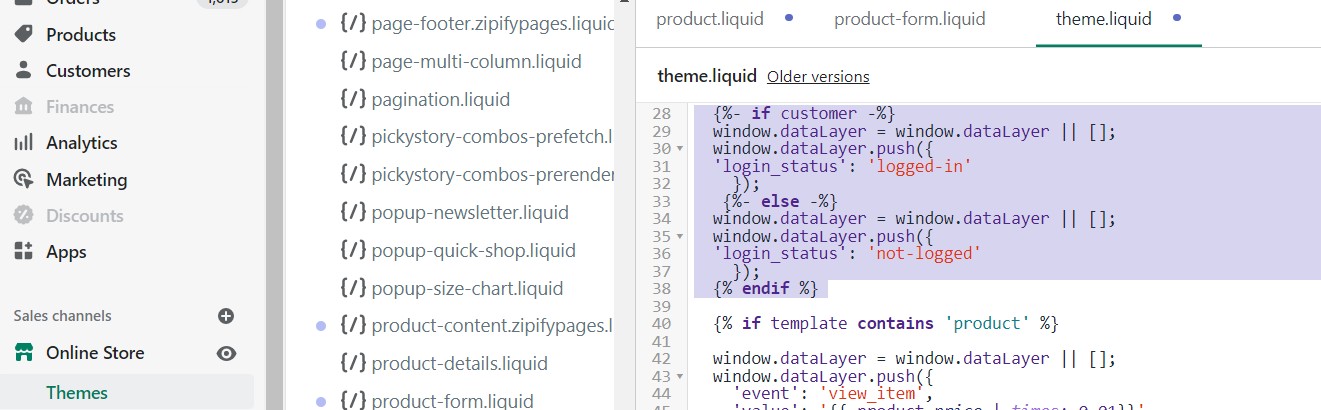
- Define new variables in Google Tag Manager
Go to “Variables”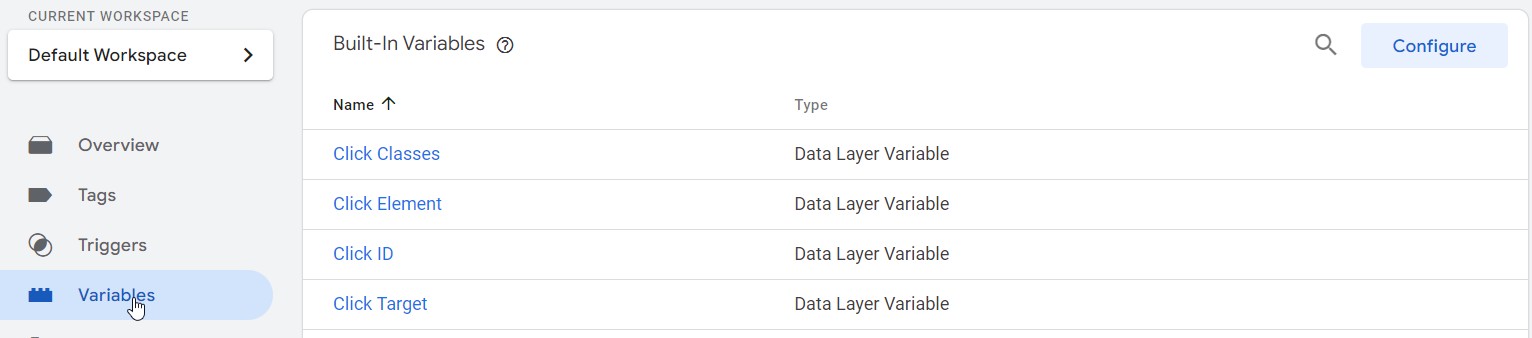
then in “User-Defined Variables” section click “New” button
then:
a) Create “DL – login_status” data layer variable as follow (chose variable type as “Data Layer Variable”)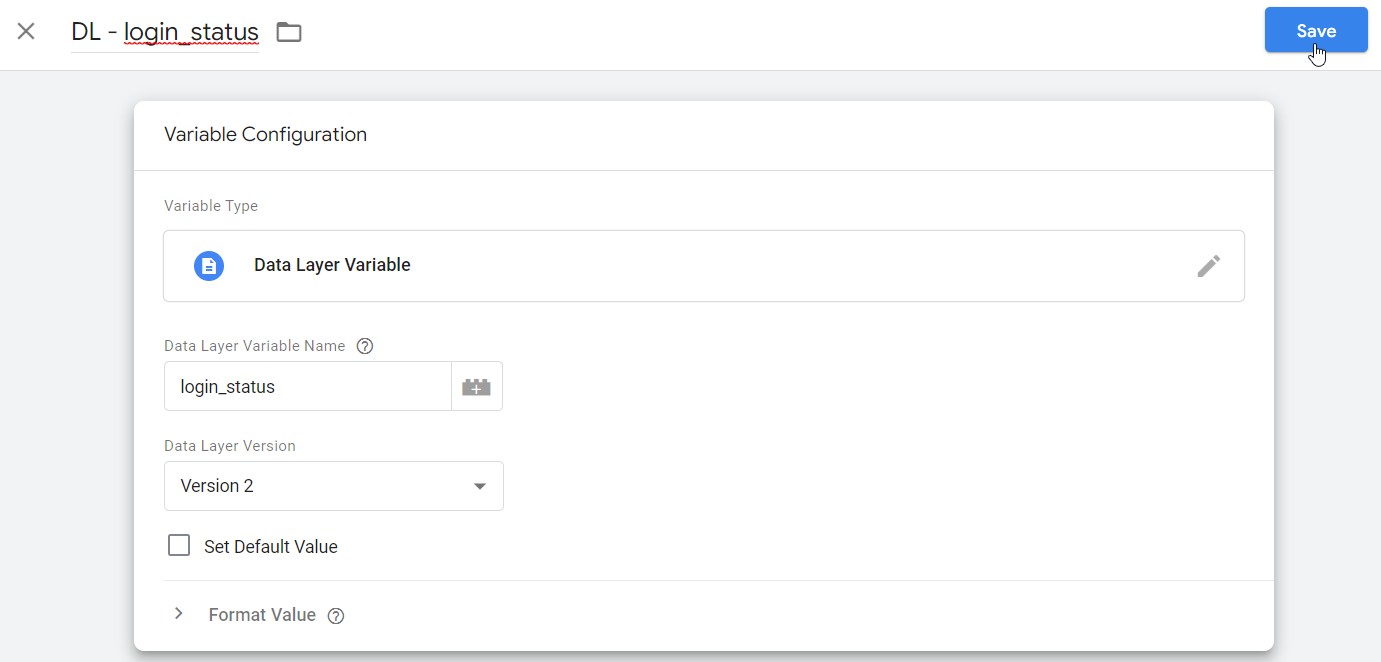
b) Create “login_status_cookie” 1st Party cookie variable as follow (chose variable type as “1st Party Cookie”) to store current user login status
- Create "login" trigger.
Go to trigger section and create new trigger
and create new “login” trigger as follow: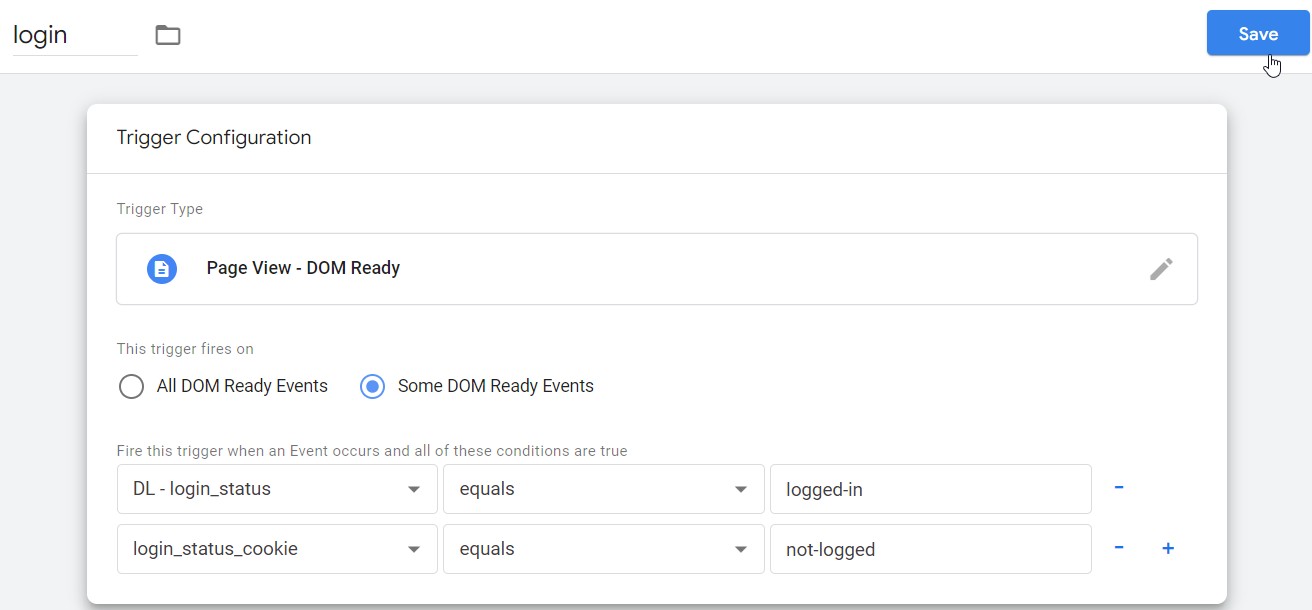
This trigger will fire every time when login status will change from not-logged to logged-in.
Create "Login status cookie tag" where current login status is assigned to login_status_cookie variable from DL – login_status variable on every page view as follow: - Create "GA4 – login" tag using following settings and trigger that you have already created:

After this implementation you will be able to see in you GA4 reports statistics connected to login action.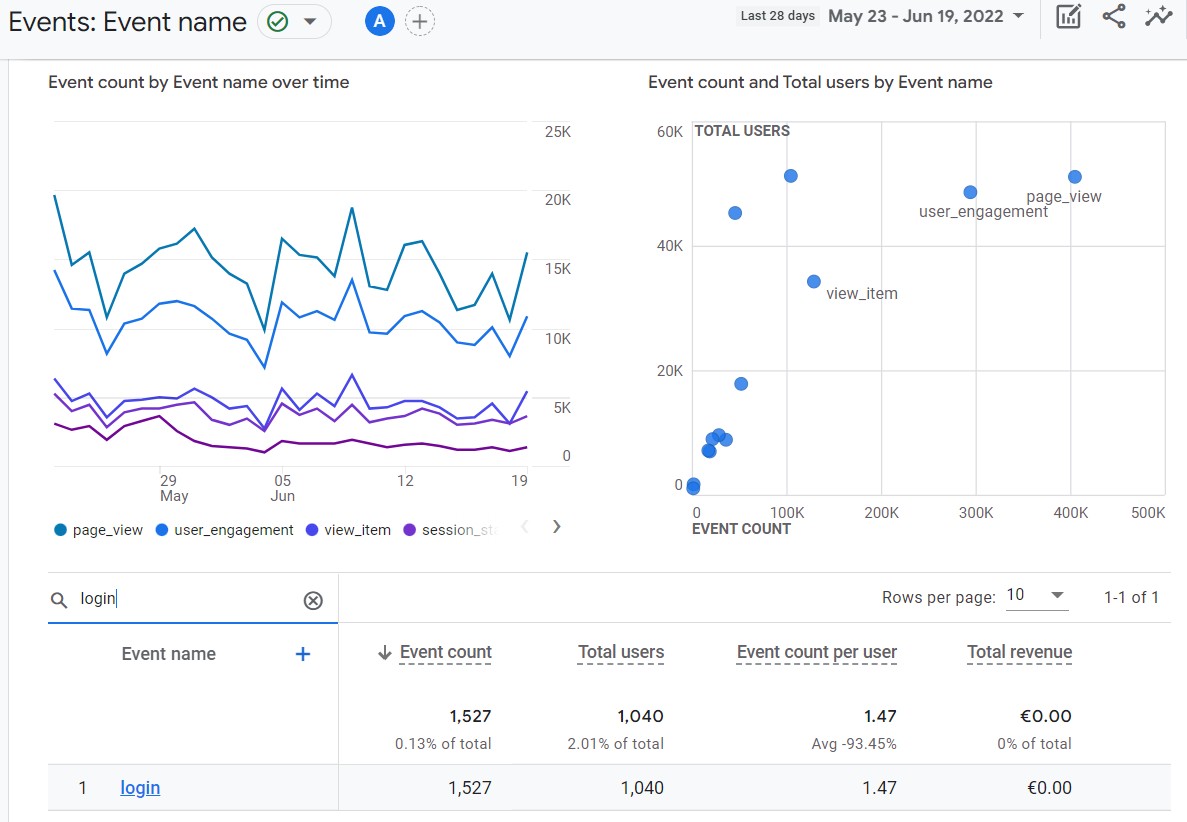
Lets go to the next step of our guide which is: How to setup user ID for GA4 on Shopify.
Piotr Ulacha
Piotr Ulacha is a web analyst. He has 15 years of experience in the digital marketing area. He specializes in implementation of analytical and marketing tracking codes, creating dashboards and data privacy topic. He works currently as a Web Analyst at EverStores.com where he implement tracking solutions for eCommerce brands. Previusly he worked at SellerX with eCommerce brands and at Artegence where he analyses the impact of marketing campaigns for Volkswagen Poland.
If you enjoyed the article please share it:

This guide is all about how to implement Google Analytics(GA4) on Shopify. To setup GA4 on Shopify website we use Google Tag Manger(GTM) and Shopify data layer.
 Oct 12, 2022
If you want to measure traffic on your Shopify website, the first thing is to create Google Analytics account for your website
 Published by Piotr UlachaOct 13, 2022
If you have Google Account but you don't have GA4 property yet, because for example you are still using Universal Analytics property (former version of GA4) you have to create new GA4 property.
Published by Piotr UlachaOct 14, 2022
Because we will use Google Tag Manger as a method to implement Google Analytics 4 you have to create GTM account.
Published by Piotr UlachaOct 15, 2022
If you want to get the best out of Google Analytics 4 apply the following recommended GA4 settings and best practices.
Published by Piotr UlachaOct 16, 2022